- Developer
- Google LLC
- Installs
- 10B+
- Downloads
- 1
- Views
- 6
- Updated
- Oct 13, 2026
Screenshots



About Digital Wellbeing
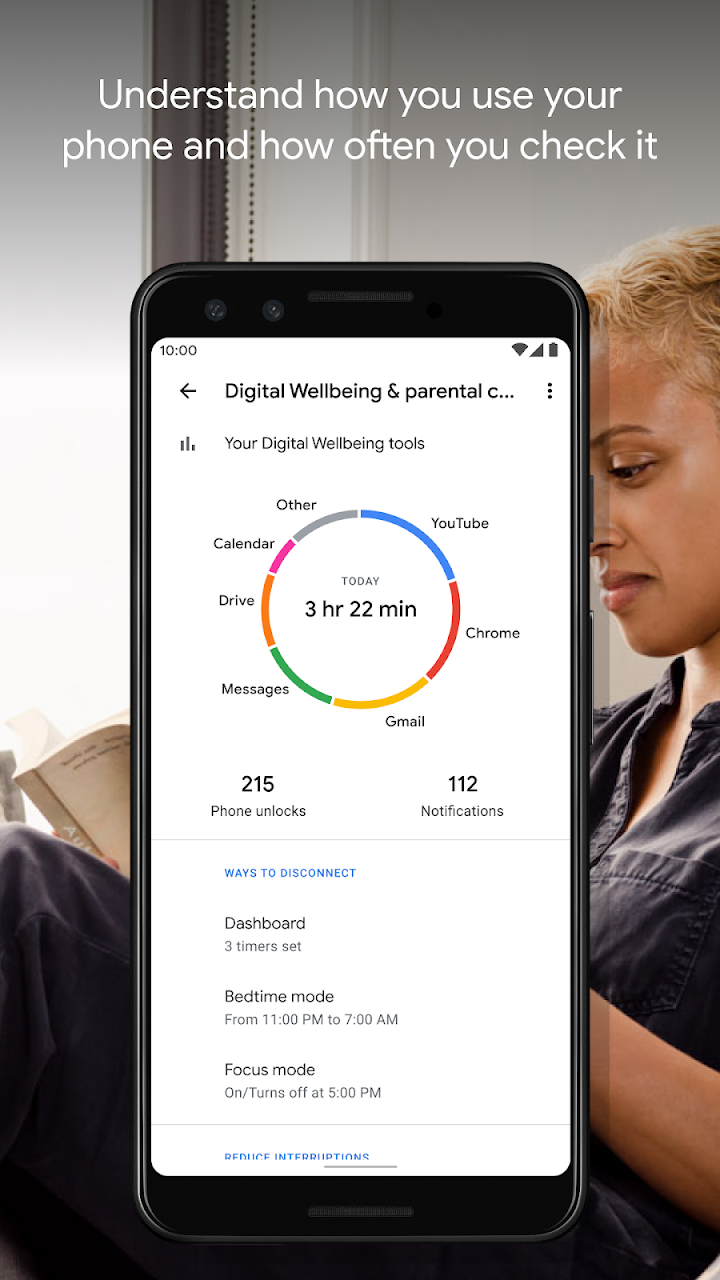
See a complete picture of your digital habits and disconnect when you want to.
Get a daily view of your digital habits:
- How frequently you use different apps
- How many notifications you receive
- How often you check your phone or unlock your device
Disconnect when you want to:
- Daily app timers let you set limits for how much you use apps.
- Bedtime mode reminds you to switch off at night, setting a schedule to fade your screen to Grayscale while Do Not Disturb silences notifications for a good night’s sleep.
- Focus mode lets you pause distracting apps with a single tap so you can better focus your time. You can also set a schedule to turn on Focus mode automatically and reduce distractions while you’re at work, school, or home.
Get started:
- Look for Digital Wellbeing in your phone’s Settings menu
Have a question? Check out the Help Center: https://support.google.com/android/answer/9346420